
Before Your First Boostrify Order: A Practical Checklist
Before placing a Boostrify order, confirm the service action, audience, destination link, quantity, final cost and delivery conditions. Save those details together. A follower order and a post engagement order can require different links, and a service label alone does not tell you every delivery or refill condition.
For Nigerian creators, sellers and social media managers, this checklist provides a simple way to prepare an order and keep useful records. It covers the decisions to make, without assuming that every service uses identical inputs or terms.
Start with a written order brief
Write a one-sentence description of what you intend to order. Include the platform, action, destination and audience requirement. For example: “Compare an available post-like service for this public product announcement, within my agreed test budget.” This is an illustrative brief, not a recommendation to buy a particular service.
If you manage a client's account, agree the budget and method with them first. Ask which account or item the campaign concerns and what evidence they expect afterwards. Keep that approval with the brief. Do not substitute a cheaper audience or a different action without discussing it.
Use our service guide directory to identify the relevant action. Decide whether you need a profile or channel destination, or a specific piece of content. That distinction helps you avoid choosing a service just because its name contains the platform you use.
Check what the service actually includes
Read the full description. Look for the audience wording, accepted content format, quantity limits and any special instructions. Save the service identifier displayed at the time of ordering, rather than relying only on a name that may resemble another listing.
A Nigerian audience label does not by itself establish targeting for Lagos, Abuja or a particular language. A global audience is also not interchangeable with a Nigerian audience. If the wording does not support a requirement in your brief, pause and clarify it.
Keep separate actions separate in your expectations. A like listing does not automatically include comments, saves or followers. Our Instagram likes guide, for example, concerns activity on a post rather than a new profile follower count. Confirm current availability and conditions in your account.

Verify the destination independently
Open the exact link you plan to submit. Check the account name, the content and the intended platform. Do this after copying the link, because a saved note can contain an older destination even when the correct item is open elsewhere.
For an account action, check that the listing accepts the profile or channel URL you have supplied. For an action on a post, check that your link opens that specific post. Do not assume a profile link tells a service which video or photograph to use.
Follow the current visibility requirements. Boostrify's terms require public profiles, warn against duplicate orders for a link while an order is unfinished, and say not to change usernames, links or IDs during an active order. Keep these requirements in mind when planning edits or a rebrand.
A useful habit is to store the destination in a plain text note beside the service identifier. For a client campaign, include a short description of the content. That makes a later check possible without relying on a cropped screenshot.
Work out the quantity and total
Check both the minimum and maximum quantity before setting a budget. Decide whether the quoted rate is per unit or per 1,000. Do not assume that all screens use the same convention.
As an arithmetic example only, 250 units at ₦4 per unit would cost ₦1,000. The same quantity at ₦4,000 per 1,000 also works out to ₦1,000. These are invented numbers for explaining the calculation. They are not an available price or a recommended order size.
Review the final displayed charge before submitting. If it differs from your estimate, stop and check the rate basis and quantity. Avoid trying repeated submissions while you are unsure whether an earlier one succeeded.
Separate start time, completion and refill
Start time describes when processing is expected to begin. Completion describes when the order finishes. “Instant start” therefore does not mean the full quantity arrives immediately. Use the actual listing's delivery notes when planning a campaign, and avoid promising a client a deadline that the service does not support.
A refill is a conditional replacement of drops where offered. It is not a universal guarantee that numbers remain unchanged forever. Check eligibility, the coverage period and how a request is made. If those details are unclear, ask before ordering rather than inventing an interpretation.
The published terms also limit cancellations once processing begins. Treat refund and refill as different questions. Read both the general policy and the selected description; do not assume that a slow order can be cancelled on demand.
Use a final pre-submit check
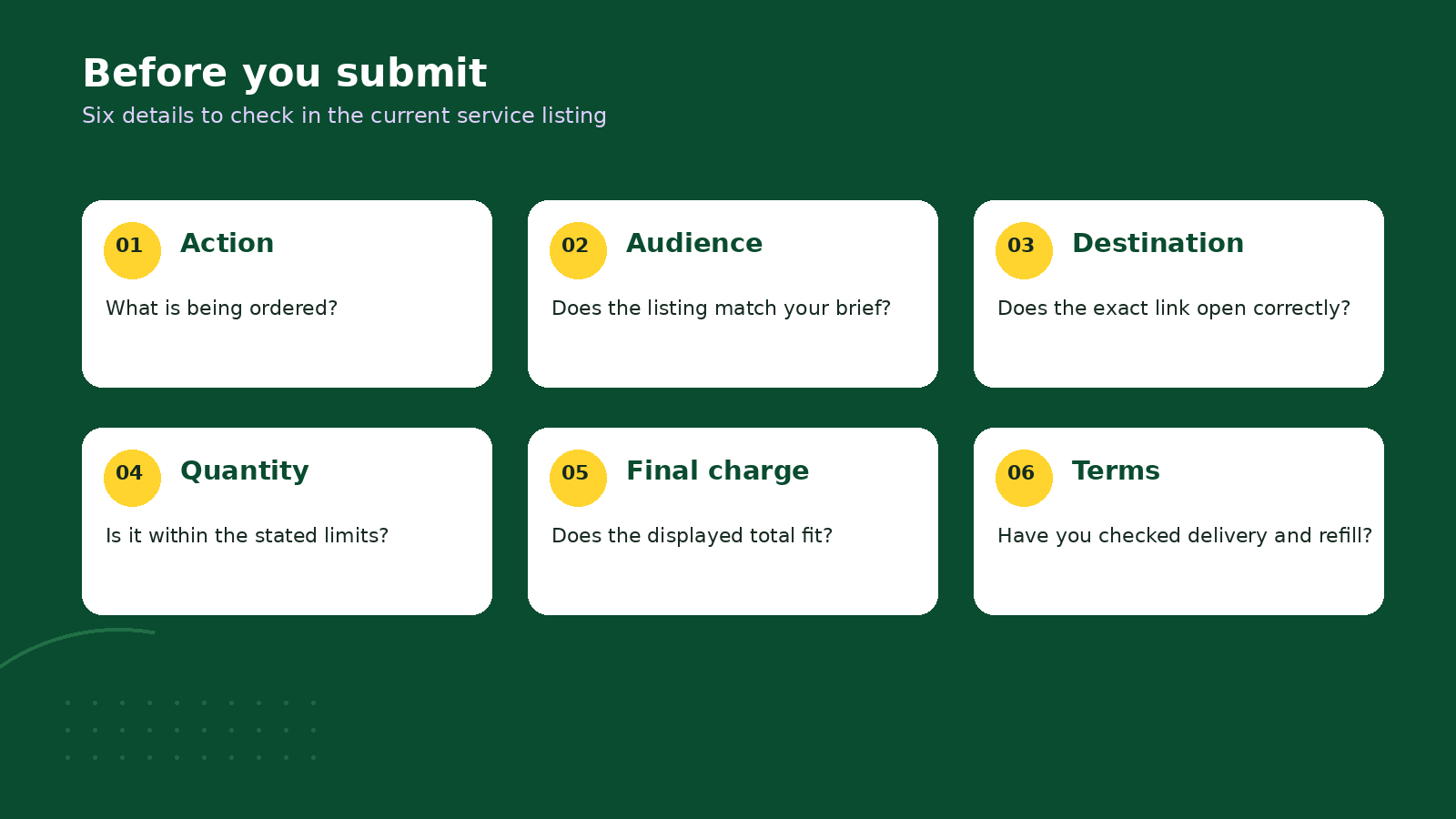
- Does the selected action match the written brief?
- Does the audience wording support the location requirement?
- Does the copied destination open the intended account or content?
- Is the quantity within the listing's limits?
- Does the final charge fit the approved budget?
- Have you read the delivery, refill and cancellation conditions?
Check the relevant social platform's rules as well. Availability on a catalogue does not establish permission from a platform. For instance, YouTube prohibits artificially inflated engagement, including activity arranged by someone you hire. Do not use a purchased metric as a claim of organic audience growth.
Keep a record that makes support easier
After submitting, save the order ID, service identifier, destination, quantity, charge and submission time. Add a short note about the expected delivery conditions. Keep passwords and payment credentials out of this record if you plan to share it with a colleague.
If you need help, describe the issue precisely. “Order ID, destination, time submitted, current status, and what I expected under the listing” is more useful than “nothing works”. Include relevant evidence without exposing unrelated customer information.
Use account support for an order question; sign-in is required. Keep the existing order record while it is reviewed, and avoid placing another order on the same link as a troubleshooting step. Your next action is to prepare the brief and complete the six checks before submitting.
