
Boostrify order-status troubleshooting
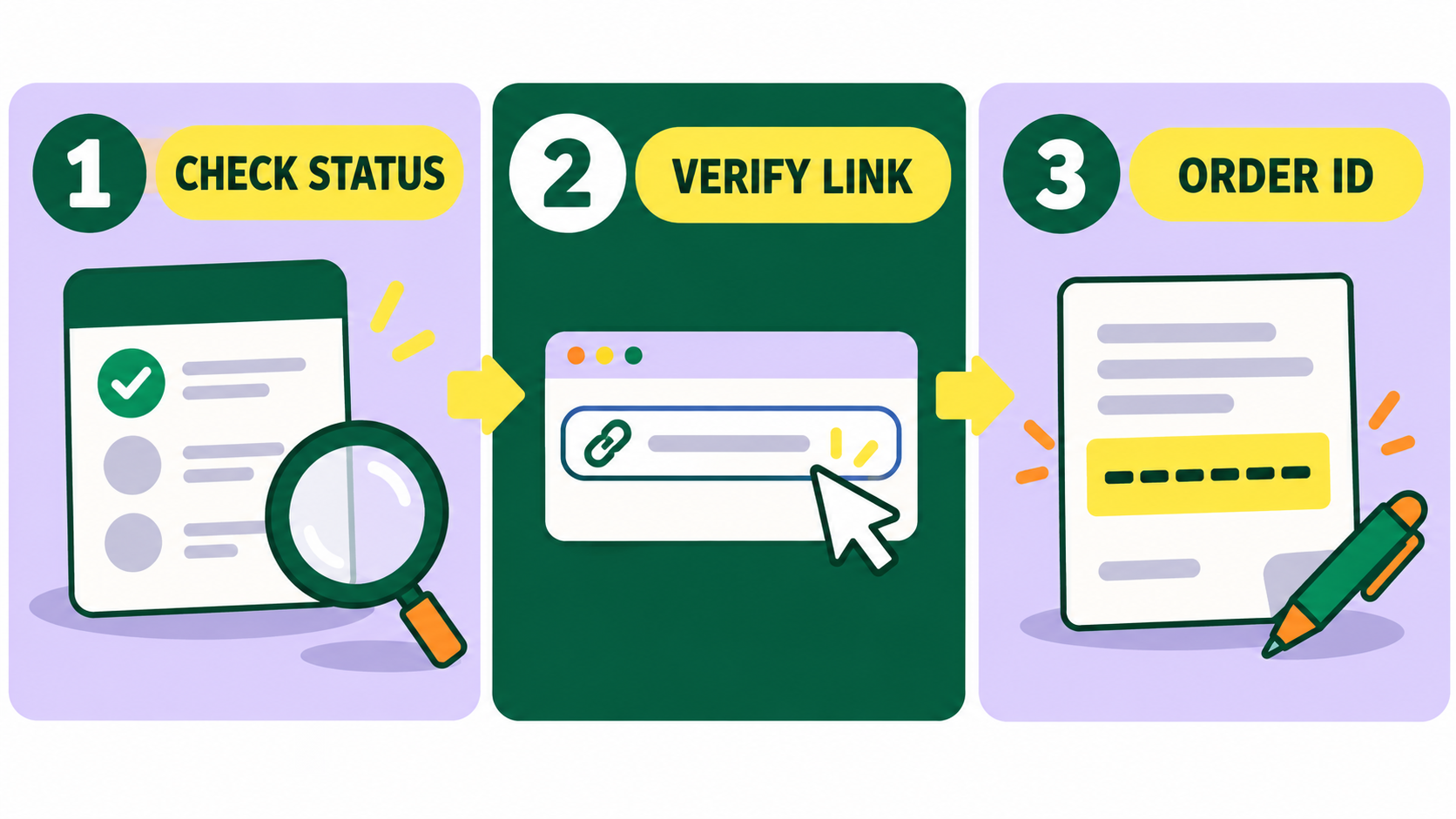
If a Boostrify order appears delayed, start with the order record rather than placing another order. Check the status, confirm that the submitted link still opens correctly, compare the elapsed time with the service description, and keep the order ID ready. A slow start does not always mean a failed order, and start time is not the same as completion time.
This guide explains the practical checks to make before contacting support. It does not replace the description attached to your exact service. Delivery, refill and refund conditions vary, so use the current dashboard record as the final reference.
Start with the order record
Open your Boostrify dashboard and locate the exact order. Do not rely on memory, a bank alert or a social media notification. The order record ties together the service, destination link, quantity, charge and current status.
Write down five items:
- order ID;
- service name or service ID;
- the link you submitted;
- quantity and current count, where relevant; and
- the time you placed the order and the status now shown.
Boostrify explains on its homepage that start time means when processing is expected to begin, while completion time is the period needed to finish the order. Treat those as separate checks. A listing described as starting quickly may still need longer to complete a large quantity.

What common order situations usually mean
Status wording can change, so read the label and any note shown in your account. The situations below are a decision guide, not a substitute for the live dashboard.
The order has not started
First, compare the elapsed time with the current service description. Boostrify’s terms say orders may take time to begin and that start times can vary because of system load or technical delays. If the stated window has not passed, keep the destination public and avoid making changes.
Do not place a duplicate order for the same link while the first is active. Boostrify’s Terms of Service specifically warn against duplicate orders before an existing order is completed. Two overlapping requests can make it difficult to determine which service produced a change.
The order is processing but the count looks unchanged
Confirm that you are watching the correct metric. Followers affect a profile or channel. Views, likes, comments, saves and shares apply to a particular piece of content. If you ordered post likes but you are checking the follower count, you are measuring the wrong action.
Record the starting count if it is available, then check again after a sensible interval. Some platforms update displayed totals in stages. Do not refresh continuously or assume that every short delay is a failure.
The order shows completed but you expected a different result
Compare the destination link, starting count and ordered quantity. Also check whether the platform rounded or abbreviated the number it displays. A completed status covers the purchased action; it does not guarantee sales, organic reach, recommendations or monetisation eligibility.
If the numbers still do not reconcile, prepare a clear support note. Avoid editing the username, post URL or destination ID while the case is being checked. Boostrify’s terms say users should not change usernames, links or IDs while an order is active.
The order is partial or failed
A partial result means only part of the requested quantity was delivered. Boostrify’s current refund policy says that when an order is partially completed or fails, the unfulfilled portion is automatically refunded within the system. Check the wallet balance and order record before requesting another adjustment.
Do not expect a cash refund to an external payment method for every failed service. The terms state that remaining balances generally stay on the platform and that refunds outside the system are limited.
The delivered count later drops
Look back at the service description. A refill is a service condition that may replace eligible drops for a stated period. It is not included automatically with every listing. Boostrify also states that it does not guarantee the permanence of followers, likes, views or engagement and that platform-related drops are not automatically refundable unless the service provider compensates them.
Keep evidence of the starting count, delivered count, date and current count. If the listing includes refill coverage, use the dashboard’s available request or support route and mention the exact term shown when you ordered.
Check the destination before escalating
- Open the exact submitted link. Confirm it leads to the intended public profile, post, video or channel.
- Check visibility. Boostrify requires profiles to be public before ordering. A private, removed or restricted destination can interrupt processing.
- Check identity. Make sure the username or post has not changed since submission.
- Check the requested action. A profile URL, post permalink and video URL are not interchangeable.
How to write a useful support request
A useful message is short, factual and specific. Include the order ID first. State what the dashboard shows, what you expected from the listing, what you checked and when you noticed the problem.
You can use this structure:
Order ID: [ID]. Service: [name or ID]. Current status: [status]. Submitted link: [link]. I placed the order on [date and time]. The service description showed [relevant start, completion or refill term]. I confirmed that the link is public and unchanged. Please check [specific issue].
Attach a relevant screenshot when the support route allows it, but remove unrelated personal information. Never send your social media password. The Boostrify ordering process uses the destination link requested by the service, not your account password.
What not to do while an order is active
- Do not place another order for the same action and link.
- Do not make the profile private.
- Do not change the username, post URL or channel ID.
- Do not delete and repost the content.
- Do not assume an advertised start time is a completion promise.
- Do not claim a refill when the selected listing did not include one.
A cleaner process for your next order
Before submitting, save the service description, destination link and starting count. Choose one action for one clear goal. Review the current price, limits, expected timing and refill conditions in the public service catalogue. Then track the order from the same account until it closes.
If the current order needs attention, gather the facts first and contact Boostrify support through your signed-in dashboard. A complete order ID and a specific question make the issue easier to investigate.
