TikTok LIVE Product Demo for Nigerian Online Sellers: A Runbook
A strong TikTok LIVE product demo needs more than a ring light and a product on the table. Give the session one promise, rehearse the demonstration, prepare a moderator, disclose commercial content correctly and make the ordering route easy to explain. Viewers should understand what the product does, who it suits, what it costs and how to ask a question without pressure.
TikTok requires creators promoting a brand, product or service to use the platform's content disclosure setting, including for LIVE. TikTok also says creators must follow its Community Guidelines, terms and policies relevant to TikTok LIVE. Review the current commercial-content guidance and creator code of conduct before the session.
Choose one job for the LIVE
Do not try to demonstrate your entire catalogue. Choose one product, one bundle or one tightly related category. A useful promise might be “See how this portable blender handles two common ingredients” or “Compare the three sizes of this storage set.”
Write down the result a careful viewer should get from the session. It may be understanding the product, comparing options or deciding whether the item is unsuitable. Honest limitations build more trust than a perfect-sounding pitch.
Prepare the product and proof points
List the claims you plan to make and the evidence for each one. Demonstrate visible features. If you mention materials, capacity, warranty, delivery areas or current price, confirm the information before going live. Do not invent scarcity or say “only two left” unless your stock record supports it.
- Clean and test the exact item you will show.
- Keep packaging, accessories and size references nearby.
- Prepare a written price and delivery note for the moderator.
- Remove customer names, phone numbers and private order details from the set.
- Have a second unit or backup power source where practical.
Rehearse the ordering route
Decide exactly how a viewer should place an order. If you use a website, make sure the product page works on mobile. If you use a business messaging number, prepare the wording viewers should send. Avoid asking people to post private information in LIVE comments.
Test the journey from a different phone. Can someone find the product, see the current price, understand delivery coverage and receive a confirmation? A LIVE can create attention, but a broken order route wastes it.
Assign a moderator
The host should not demonstrate a product, read every comment and handle abuse at the same time. Give a moderator a short answer sheet containing price, variations, delivery information, the ordering route and claims that must not be made.
TikTok provides LIVE comment controls, including tools for filtering comments and managing viewers. Check the controls available on your account before the event. Agree on when the moderator should answer, repeat a question, mute a disruptive viewer or escalate a product issue after the session.
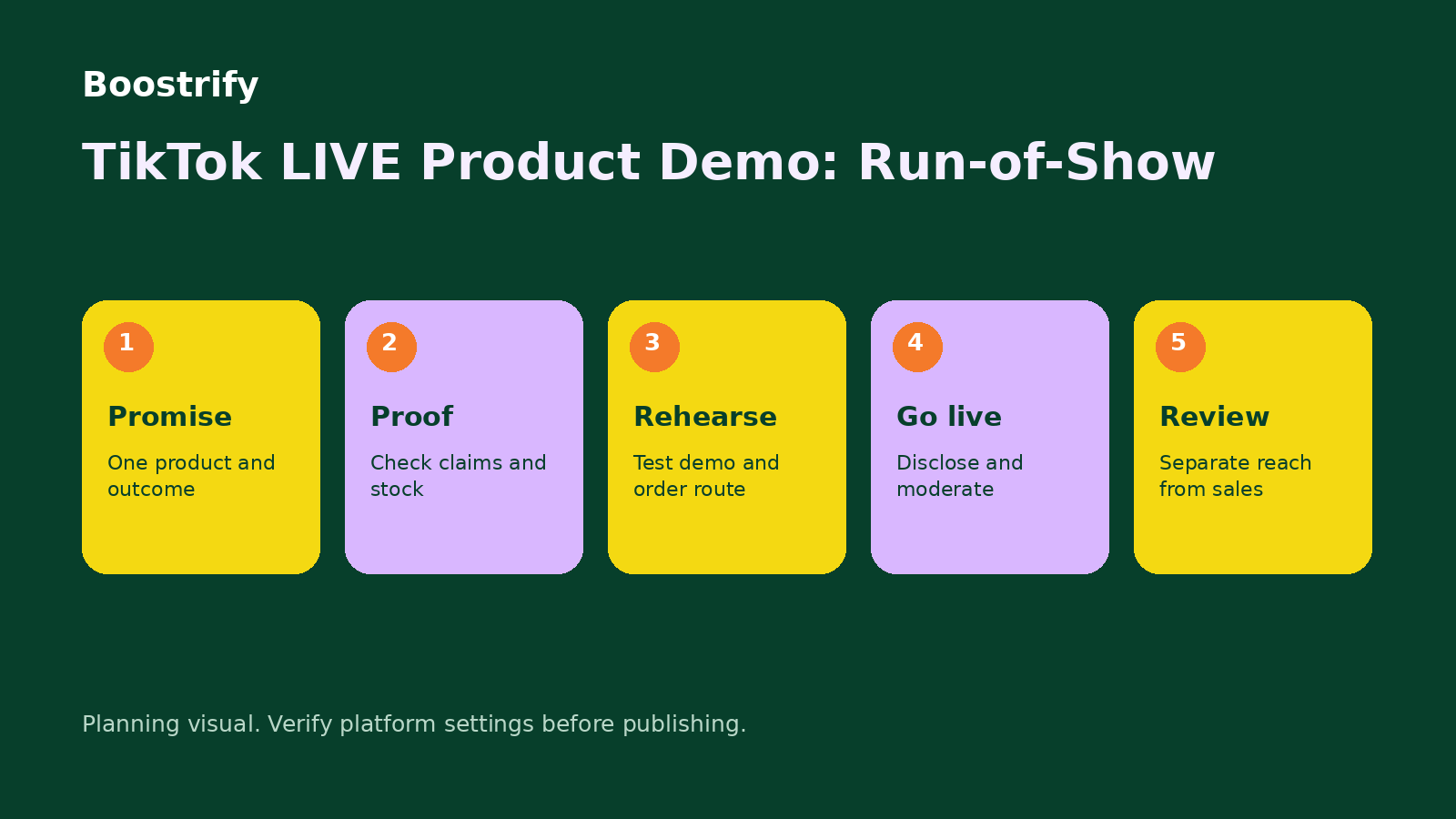
Use a simple 25-minute run-of-show
- Minutes 0 to 3: greet viewers, state the product and explain what they will see.
- Minutes 3 to 10: demonstrate the main use from start to finish.
- Minutes 10 to 15: compare sizes, options or suitable use cases.
- Minutes 15 to 21: answer selected questions and repeat key limitations.
- Minutes 21 to 25: summarise price, delivery information and the ordering route.
This is an illustrative structure, not a platform rule. Shorten or extend it according to the product and the questions you receive.
Use promotion carefully
Announce the time in advance through your normal content and customer channels. Show what people will learn rather than promising a viral event. You can also compare the live Boostrify catalogue. It currently includes TikTok LIVE Stream Views described as Real Nigerians. Verify the service description, link format, start time and conditions immediately before ordering.
Purchased views, likes or chat activity do not equal buyers, sales or genuine product interest. They do not guarantee wider recommendation, virality or retention. Use them only as a separate promotional input. Keep your product demonstration, moderation and organic invitations responsible.
Review the session honestly
After the LIVE, record peak or total viewing metrics available to you, repeated questions, product-page visits, completed orders that can reasonably be attributed to the event, cancellations and support problems. Separate paid activity from organic outcomes when interpreting the numbers.
Save the questions that revealed confusion. They can become the next product video, FAQ or improved product-page section. If many viewers asked about a feature you barely showed, fix the next run-of-show instead of simply spending more on reach.
Before ordering any Boostrify service
Read the current Boostrify terms and the exact service description. The target must be public, duplicate orders should not be placed while an order is active, the link or username should not change during processing and service start times can vary. A service marked as instant start can still take time to complete.
When your LIVE access, disclosure, moderator and order route are ready, create a Boostrify account and select only a TikTok service whose stated audience and delivery conditions fit the session.
Prepare for ordinary problems
Write a small contingency card for the host and moderator. If the internet becomes unstable, state that clearly and pause the demonstration rather than pretending the product failed. If the item breaks, avoid hiding the result. Explain what happened, stop unsafe use and follow the normal customer-support process. If pricing changes during the event, correct the information promptly.
Keep water, charging cables and a quiet backup location nearby, but do not clutter the set. Switch off private notifications on the demonstration phone. Ask another person to check sound and framing from a viewer account before the main session. A clear voice and a visible product matter more than elaborate effects.
After the event, answer unresolved product questions in a separate post or FAQ. Do not publicly discuss a buyer's order, payment or address. Move account-specific support to the appropriate private channel and confirm the person's identity before sharing details. This follow-up work is part of the LIVE plan because viewers judge the whole experience, not only the minutes when the camera is on.
